
 |
 |
Intruder Alarm Maintenance Report Using eAuditor
The Intruder Alarm Maintenance Report helps you check that alarm systems work well and stay reliable. It helps you find faults early and keep security strong. You can use eAuditor to record tests, track repairs, and keep clear maintenance records.

1. Open the App
Open eAuditor on your phone or tablet.
2. Create the Template
- Go to Templates
- Tap Create Template
- Choose Blank Template
3. Add Sections
Basic Information
Add fields for:
- Site name
- Location
- Date
- Technician name
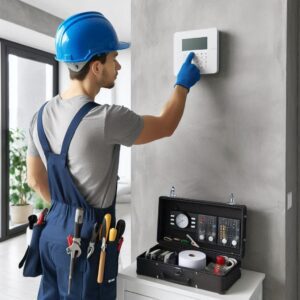
Intruder Alarm Maintenance Report – System Check
Inspect the alarm system:
- Control panel works properly
- Keypad responds well
- No error messages appear
Intruder Alarm Maintenance Report – Sensors and Devices
Check all sensors:
- Motion sensors detect movement
- Door and window contacts work
- No damage appears on devices
Intruder Alarm Maintenance Report – Alarm Test
Test alarm functions:
- Alarm sounds clearly
- Alerts reach the monitoring system
- Backup alarm works if needed
Power Supply Check
Inspect power sources:
- Main power supply is stable
- Backup battery works properly
- No loose connections appear
Intruder Alarm Maintenance – Communication System
Check communication:
- Signals send to the control center
- Network connection is stable
Photos
Add photos in eAuditor to record system condition or faults.
Comments
Write notes about faults, repairs, or maintenance actions.
Signatures
Collect the technician’s signature to confirm the report.

4. Complete the Intruder Alarm Maintenance
Open the template in eAuditor during maintenance.
Check each item and record the results.
5. Save the Record
Tap Complete Inspection
Export the report as a PDF
Save the file as a maintenance record
✅ This Intruder Alarm Maintenance Report helps you keep alarm systems reliable and improve site security. 🔐📋
| |
|