
 |
 |
Risk Register Template Using eAuditor
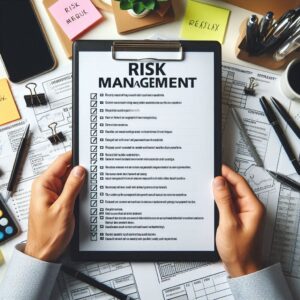
The Risk Register Template helps you identify, assess, and manage risks in a clear and structured way. It allows your team to track potential issues before they happen and take action early. A well-managed risk register improves safety, reduces losses, and supports better decision-making. You can use eAuditor to record risks, assign responsibilities, monitor actions, and keep all records in one place.
1. Open the App
Open eAuditor on your phone or tablet.
Make sure your device is ready so you can record data in real time.
2. Create the Template
- Go to Templates
- Tap Create Template
- Choose Blank Template
- Name the template: Risk Register Template
3. Add Detailed Sections
Basic Information
Add fields for:
- Project, site, or department name
- Location
- Date of assessment
- Risk assessor name
- Review date
Risk Register Template – Risk Identification
Identify all possible risks that may affect the project or operation.
You can group risks into categories such as:
- Safety risks (injuries, unsafe conditions)
- Operational risks (equipment failure, delays)
- Financial risks (cost overruns, losses)
- Environmental risks (pollution, waste issues)
Make sure you list each risk clearly and avoid vague descriptions.

Risk Register Template – Risk Description
Describe each risk in detail:
- What could go wrong
- Where and when it could happen
- Who may be affected
- What impact it may cause
A clear description helps the team understand the seriousness of the risk.
Risk Register Template – Risk Assessment
Evaluate each risk based on:
- Likelihood (Low, Medium, High)
- Impact (Low, Medium, High)
You can also assign a risk score by combining likelihood and impact.
This helps you prioritize which risks need urgent attention.
Risk Register Template – Control Measures
Define actions to reduce or eliminate risks:
- Preventive controls (training, procedures)
- Protective controls (PPE, safety systems)
- Process improvements
Make sure each control measure is practical and easy to follow.
Risk Register Template – Responsible Person
Assign a person for each risk:
- Record the name of the responsible person
- Define their role in managing the risk
This ensures accountability and clear ownership.
Risk Register Template – Action Plan
Create a clear action plan:
- List actions to be completed
- Set deadlines for each action
- Track progress (Open, In Progress, Closed)
This step helps ensure that risks are not ignored.
Monitoring and Review
Review risks on a regular basis:
- Update risk status
- Check if control measures work
- Add new risks if needed
- Close risks when resolved
Regular review keeps the risk register active and useful.
Photos
Add photos in eAuditor to support risk identification.
Use images to show hazards, unsafe conditions, or improvements.
Comments
Write clear notes about:
- Observations
- Changes made
- Lessons learned
Signatures
Collect signatures from:
- Risk assessor
- Supervisor or manager
This confirms that the risk register is reviewed and approved.

4. Complete the Risk Register Template
Open the template in eAuditor during risk assessment sessions.
Work with your team to identify and evaluate risks.
Update the register as the project or operation changes.
5. Save the Record
Tap Complete Inspection
Export the report as a PDF
Store the file as a formal risk management record
✅ This Risk Register Template helps you manage risks in a structured way, improve safety, and support better planning and decision-making across your organization. 📋⚠️
| |
|